FlowSync AI
One intelligent workspace for projects, teams, and productivity.
01Overview
Connected work.
Clearer context.
FlowSync AI is a modern enterprise SaaS platform designed to help organizations manage projects, organize tasks, improve team collaboration, and increase productivity through AI-powered workflows.
02The Problem
The work is connected.
The updates aren’t.
Product teams juggle scattered updates across a dozen tools.
Leaders lose hours to status meetings and manual reporting, while context — who owns what, what's at risk, and what's next — stays fragmented across projects, tasks, and people.
03Project Goals
Less effort to
understand the work.
Simplify Enterprise Workflows
Make everyday project and task management easier to navigate.
Reduce Cognitive Load
Organize complex information so users can understand priorities without unnecessary effort.
Improve Collaboration
Make project ownership, task status, and team progress easier to understand.
Build a Scalable Dashboard
Create a structured workspace capable of presenting complex project information clearly.
04Solutions
One connected
workspace.
To address fragmented workflows and information overload, I designed FlowSync AI as a unified workspace that brings project visibility, task management, and AI-assisted decision-making into one connected experience.
A Unified Command Center
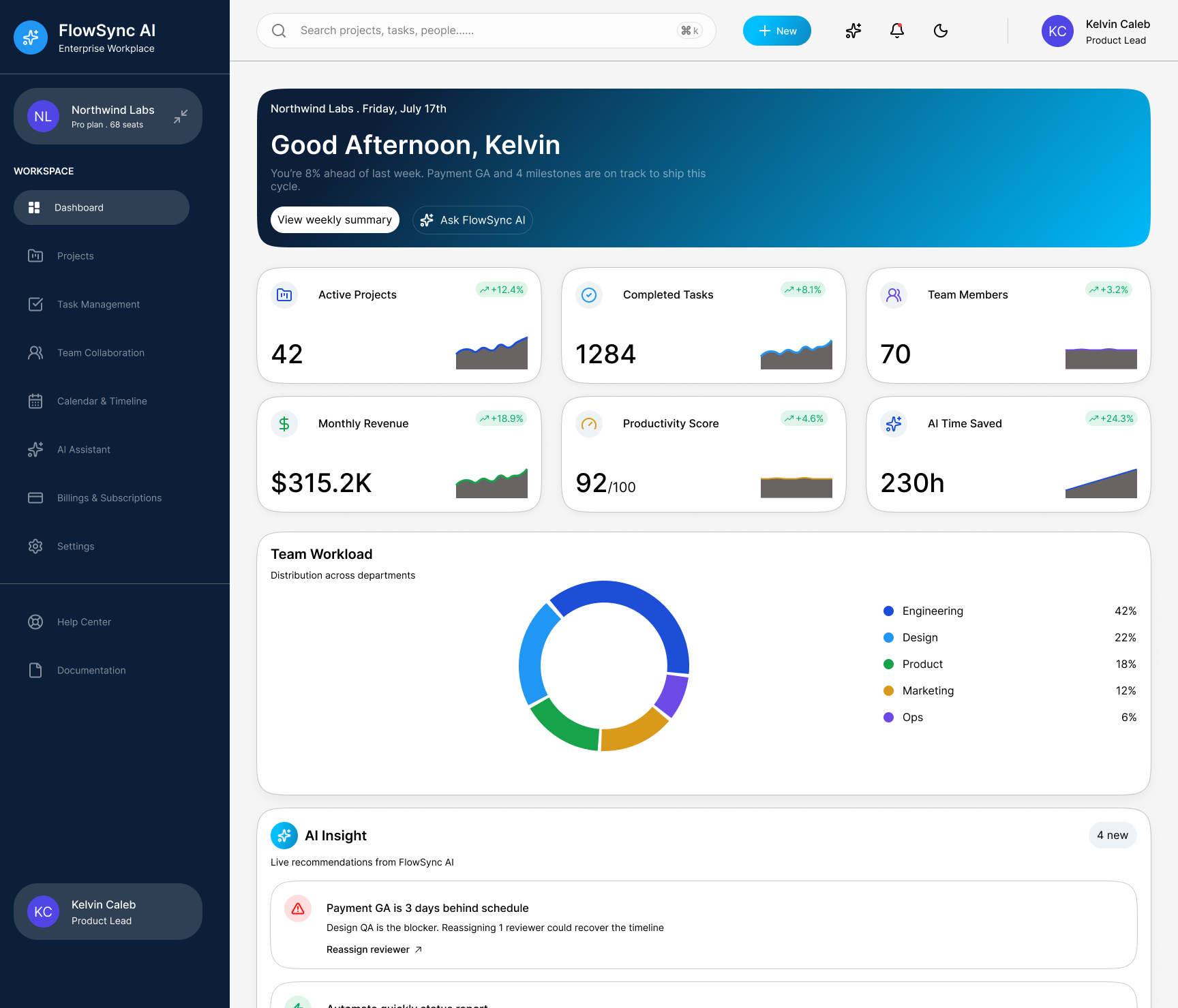
A central dashboard brings together project activity, performance indicators, team workload, and AI-generated insights, helping users understand the state of their workspace at a glance.
Structured Project and Task Management
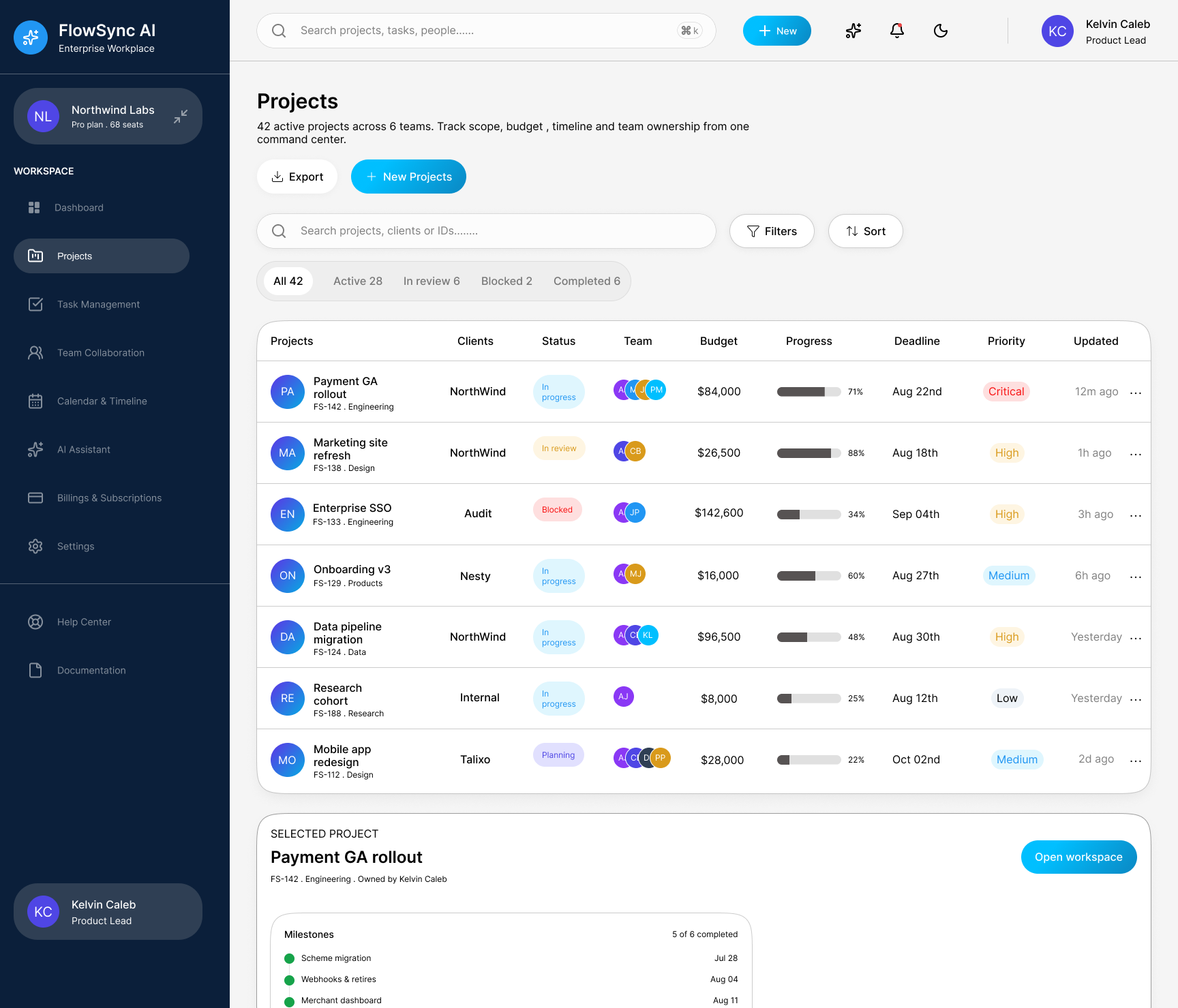
Dedicated project and task views organize information such as ownership, progress, priorities, and deadlines into clear, scannable layouts.
Context-Aware AI Assistance
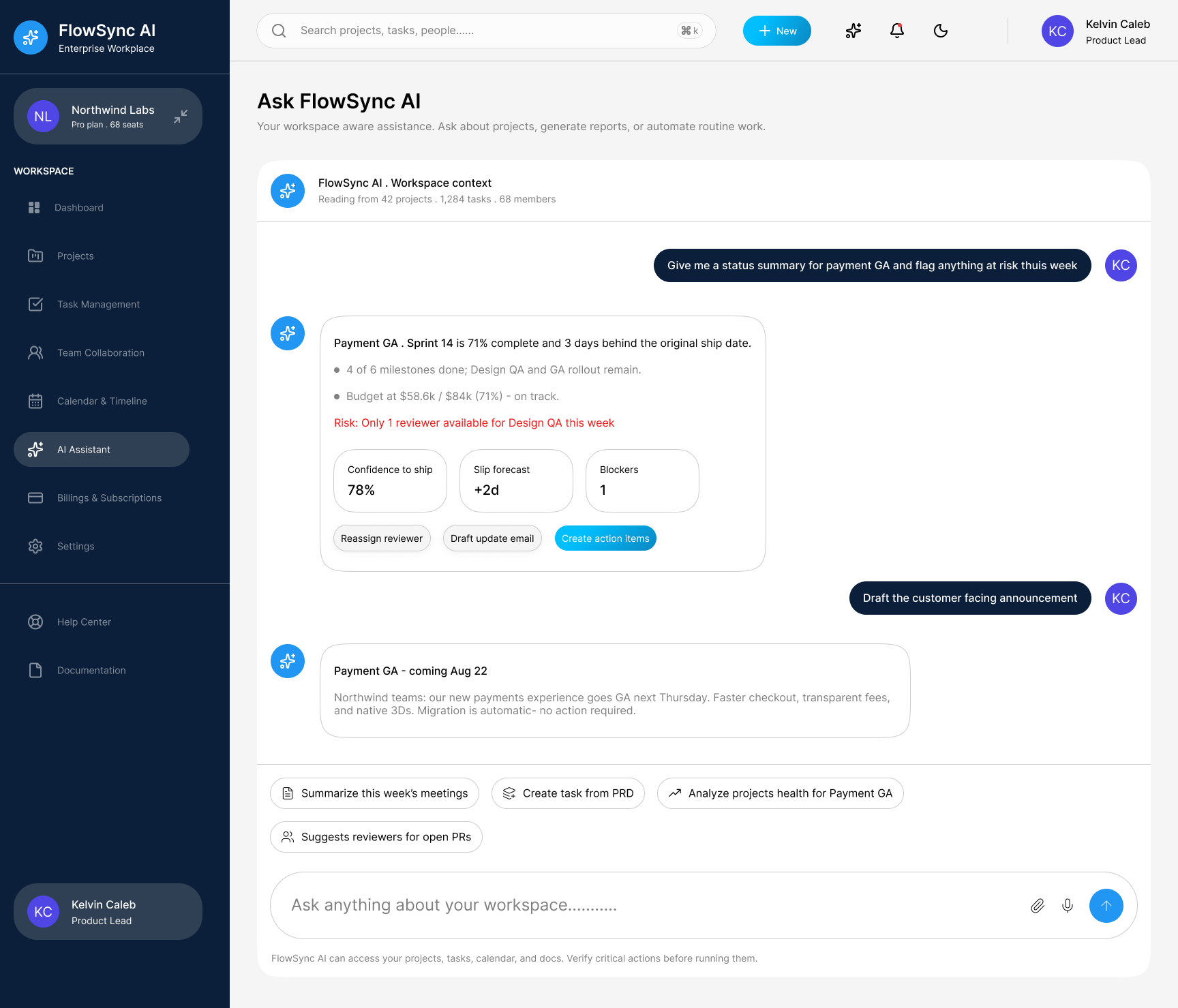
The AI Assistant presents project summaries, identifies potential risks, and suggests relevant next actions within the same workspace, reducing the need to manually piece together information.
05Design Decisions
Information first.
Intelligence in context.
AI as a Calm Layer, Not a Gimmick
The assistant recedes until asked, then answers in the same visual language as the rest of the app — summaries, confidence indicators, and one-tap actions instead of an overwhelming chat wall.
Dense but Legible
Enterprise users scan. Tables lead with status, owner, and progress, using color sparingly so risk reads instantly.
One Command Center
A single dashboard answers “How are we doing?” before the user has to navigate anywhere.
06Key Features
The workspace,
at a glance.
Project visibility, structured execution, and contextual assistance share one workspace.
- Dashboard
- A centralized overview of project activity, performance indicators, workload, and AI insights.
- Projects
- A structured view for tracking project status, ownership, budgets, progress, and deadlines.
- Task Management
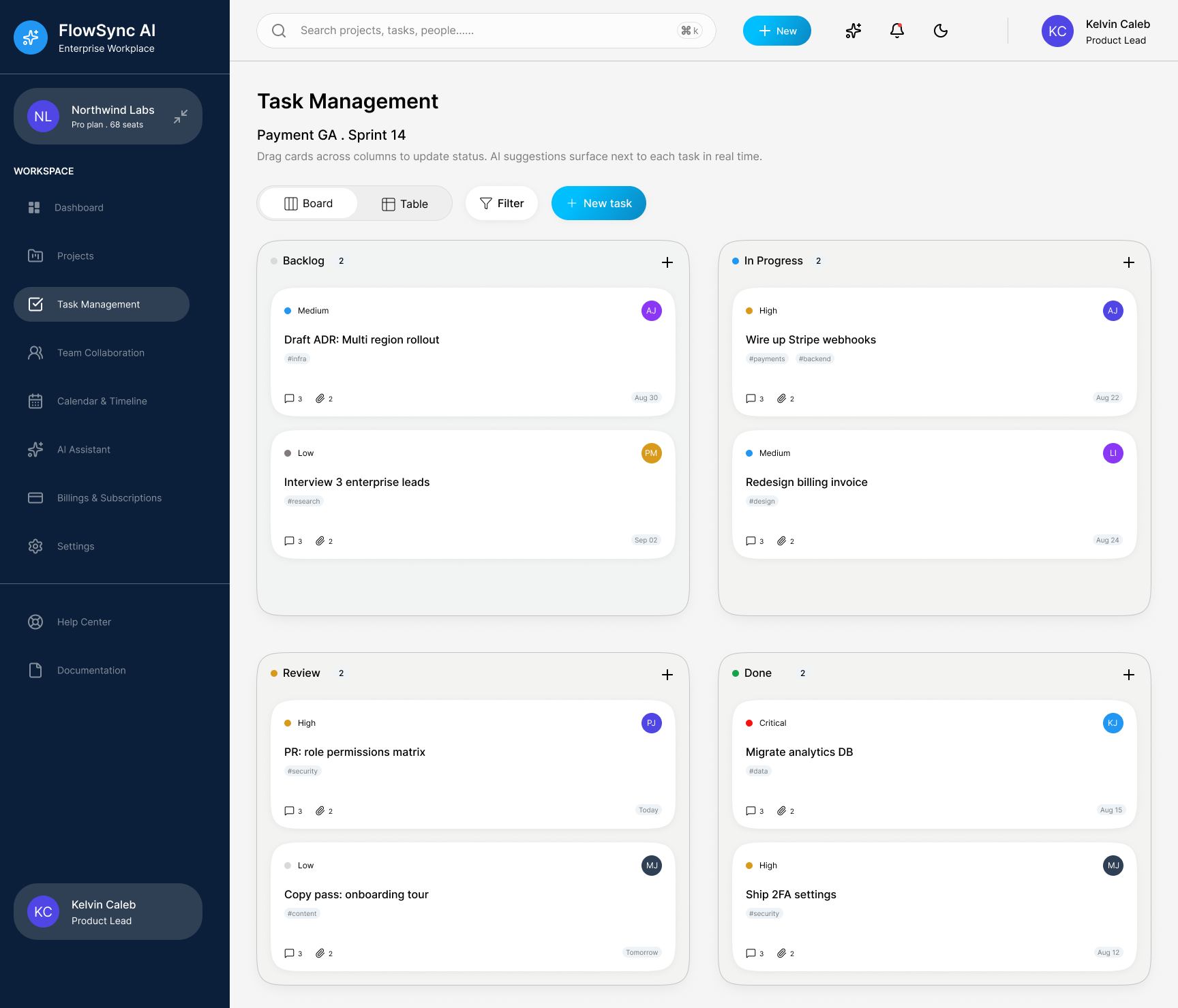
- A Kanban-based workspace for organizing tasks across different stages of completion.
- Calendar
- A dedicated area for viewing schedules and project timelines.
- AI Assistant
- A context-aware assistant for project summaries, risk identification, and suggested actions.
- Billing
- A section for managing workspace billing and subscriptions.
- Settings
- A dedicated area for workspace preferences and configuration.
07Product Experience
From the big picture
to the next action.
Dashboard
Project activity, workload, and AI insights in one command center.
Projects
Ownership, status, budgets, progress, and deadlines in a structured view.
Task Management
A Kanban workspace that keeps task stages, owners, and priorities visible.
AI Assistant
Workspace context becomes a summary, a risk signal, and a suggested next action.
All screenshots are original design compositions. Workspace figures and performance indicators are sample interface content, not measured project outcomes. Open any image to inspect it at full size.
08Reflection
Make complexity
easier to navigate.
FlowSync AI explores how clear information hierarchy can connect complex enterprise workflows. Familiar project and task views establish the structure, while contextual AI assistance helps surface summaries, risks, and next steps without overwhelming the workspace.